

What Is Cloud Computing and How Do People Use It?
Picture yourself sitting at a coffee shop in Chicago, sipping an iced latte while editing a massive video file on a lightweight laptop that barely has enough local storage to hold a dozen high-resolution photos. Yet, the rendering happens in seconds, your edits save automatically, and a coworker in London leaves a comment on your timeline in real time.
You didn’t carry a supercomputer in your backpack. Instead, you tapped into the cloud.
If you have ever wondered what is cloud computing, you are already using it dozens of times a day, even if you don’t realize it. From streaming your favorite show on a Friday night to checking your bank balance on your phone, cloud infrastructure quietly powers modern digital life.
In this guide, we will break down cloud computing explained in plain English. You will learn how cloud computing works, explore the main types of cloud computing, see real-world cloud computing examples across business and daily life, and understand why almost every modern company relies on this technology to stay competitive.
What Is Cloud Computing? (A Simple Definition)
Cloud computing is the on-demand delivery of computing resources, such as servers, storage, databases, networking, and software, over the internet instead of relying on local hard drives or on-site physical hardware.
Rather than buying, owning, and maintaining physical data centers and servers, individuals and businesses rent access to computing power from a cloud provider on a pay-as-you-go basis. Think of it like your home’s electricity grid. You do not build a power plant in your backyard just to turn on a lamp; you plug into the utility grid, use the electricity you need, and pay only for what you consume.
When people talk about cloud computing technology, they are referring to massive, warehouse-sized facilities filled with millions of interconnected servers located around the world. Companies like Amazon Web Services (AWS), Microsoft Azure, and Google Cloud manage these physical machines, ensuring they stay cool, secure, and powered 24/7 so you can access your files and apps from anywhere with an internet connection.
How Cloud Computing Works Behind the Scenes
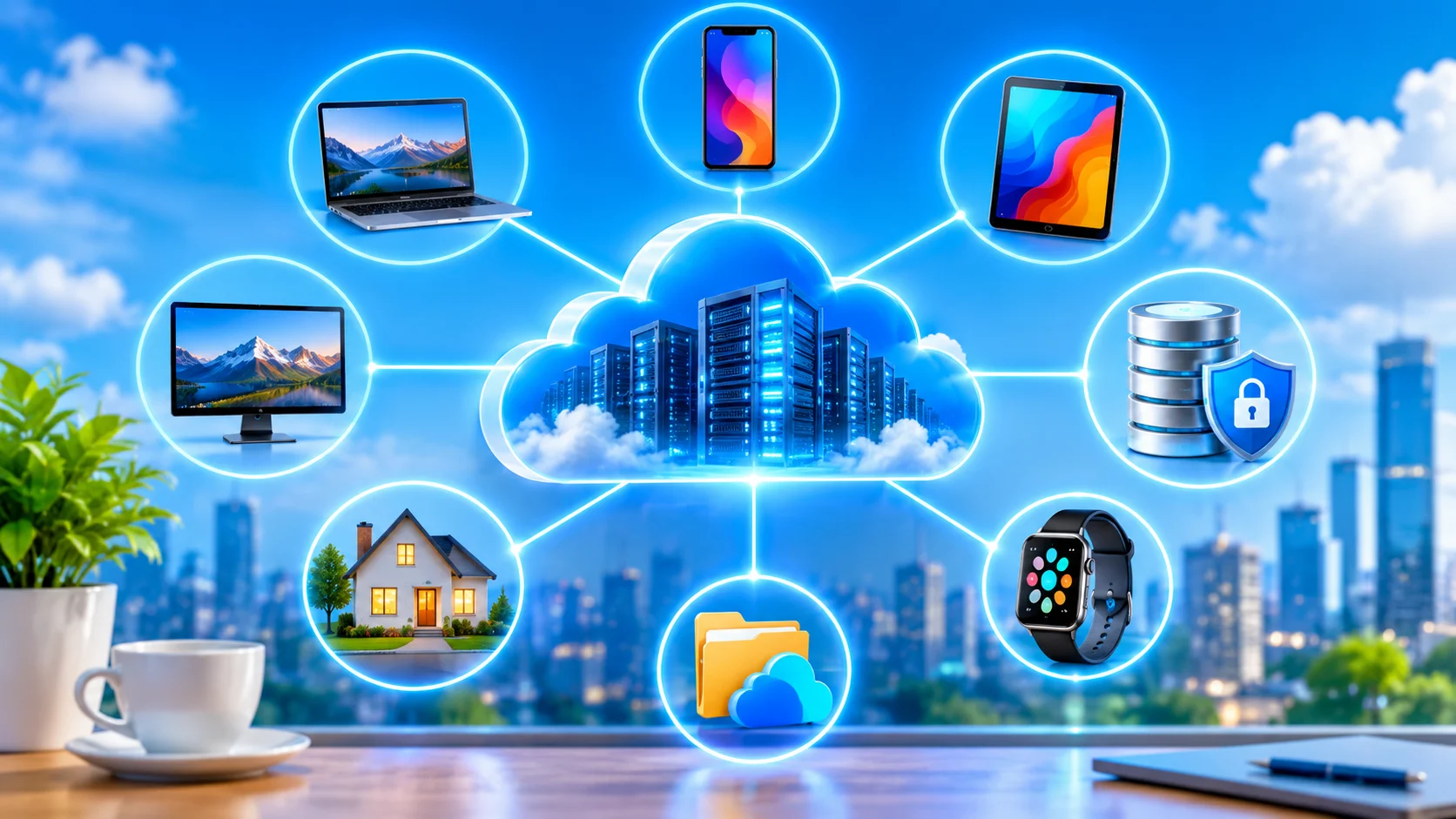
To understand how cloud computing works, it helps to divide the system into two parts: the front end and the back end, connected via the internet.
- The Front End: This is the side you see and interact with. It includes your smartphone, laptop, web browser, or mobile app. When you open Google Docs, log into Netflix, or check your email, you are using the front-end interface.
- The Back End: This is the “cloud” itself. It consists of vast networks of physical servers, high-speed storage drives, and sophisticated software systems housed in secure data centers across the United States and worldwide.
The magic glue holding this together is a technology called virtualization. Virtualization uses specialized software (called a hypervisor) to split a single physical server into multiple independent “virtual machines.” Each virtual machine acts like its own separate computer with its own operating system and applications.
When you click “save” on a document or hit “play” on a movie, your request travels over the internet to a central management system. That system routes your request to the right virtual server, processes the data, and sends the result back to your screen in milliseconds.
Everyday Uses of Cloud Computing You Already Rely On
You don’t need to be a software engineer to experience everyday uses of cloud computing. In fact, most of the apps on your phone’s home screen would stop working entirely without it. Here is how regular people interact with the cloud every single day:
1. Streaming Entertainment and Media
When you watch a 4K movie on Netflix, listen to a curated playlist on Spotify, or watch a live gaming stream on Twitch, you are not downloading massive files onto your device. Cloud servers store the media and stream tiny packets of data directly to your screen in real time, adjusting video quality automatically based on your internet speed.
2. Personal Cloud Storage and Photo Backups
Remember the panic of dropping a phone in water and losing years of family photos? Cloud storage solved that problem. Services like Apple iCloud, Google Photos, and Dropbox automatically upload your pictures, videos, and tax documents to remote servers. If your laptop breaks tomorrow, you simply buy a new one, log in, and everything reappears.
3. Web-Based Email and Productivity Suites
Gone are the days of installing Microsoft Office from a stack of CD-ROMs and emailing Word attachments back and forth (Final_Report_v3_REALFINAL.docx). Tools like Gmail, Google Workspace, and Microsoft 365 run entirely in your browser, letting multiple people edit the same spreadsheet simultaneously while tracking every change automatically.
4. Social Media and Messaging Apps
Every time you upload a photo to Instagram, send a voice note on WhatsApp, or scroll through TikTok, cloud servers process the media, compress it for fast mobile loading, and distribute it to your friends across the globe within seconds.
5. Smart Home Devices and Voice Assistants
When you ask Alexa for the weather forecast or check your Ring doorbell camera while away on vacation, that tiny speaker or camera isn’t doing the heavy lifting. It sends your voice command or video feed to the cloud, where powerful artificial intelligence models process the request and send back the answer.
Types of Cloud Computing: Deployment Models and Service Models
As businesses began moving away from traditional server closets, engineers categorized cloud computing services in two distinct ways: where the cloud lives (deployment models) and what tools are provided (service models).
The 3 Main Cloud Deployment Models
| Deployment Model | Who Owns & Manages It? | Best Used For | Key Advantage |
| Public Cloud | Third-party providers (AWS, Google Cloud, Microsoft Azure) | Startups, SaaS apps, general business workloads, web hosting | Zero hardware maintenance and instant scalability |
| Private Cloud | Dedicated exclusively to a single organization (on-site or hosted) | Banks, healthcare systems, government agencies | Maximum data control and strict regulatory compliance |
| Hybrid Cloud | A combination of public and private environments linked together | Enterprises with legacy systems and fluctuating traffic spikes | Balances sensitive data security with public cloud flexibility |
- Public Cloud: Resources are owned and operated by a third-party cloud service provider and delivered over the public internet. Multiple companies share the underlying hardware infrastructure (known as multi-tenancy), though their data remains strictly isolated and encrypted.
- Private Cloud: Computing resources are used exclusively by a single business or organization. A private cloud can be physically located at the company’s on-site data center or hosted by a third-party provider on dedicated hardware.
- Hybrid Cloud: A hybrid cloud combines public and private clouds, bound together by technology that allows data and applications to be shared between them. For example, a hospital might keep sensitive patient records on a private cloud while running its public appointment-booking portal on a public cloud.
The 3 Core Cloud Service Models (IaaS, PaaS, SaaS)
To make cloud computing for beginners easier to grasp, industry experts often compare cloud service models to getting pizza:
- Infrastructure as a Service (IaaS): Think of IaaS as buying raw ingredients to cook pizza in a rented commercial kitchen. Providers like Amazon EC2 or Microsoft Azure give you the basic building blocks, including virtual servers, storage, and networking, while you manage the operating systems, apps, and data.
- Platform as a Service (PaaS): This is like ordering takeout pizza where you just set the table and eat. PaaS platforms (like Heroku or Google App Engine) give software developers a ready-made environment to build, test, and deploy apps without worrying about configuring servers or updating operating systems.
- Software as a Service (SaaS): This is dining out at a restaurant where everything is handled for you. SaaS delivers complete, ready-to-use applications over the web on a subscription basis. Everyday tools like Slack, Zoom, Salesforce, and modern marketing automation software operate as SaaS platforms, allowing teams to launch campaigns or host video calls simply by logging into a browser.
Real-World Cloud Computing Examples Across Industries
Beyond personal convenience, cloud computing applications have reshaped how entire industries operate, innovate, and serve customers:
- Healthcare and Telemedicine: Hospitals use cloud platforms to securely store electronic health records (EHRs), enabling specialists across different states to collaborate on complex diagnoses. During telehealth visits, encrypted cloud video infrastructure connects patients in rural areas with doctors in major medical centers.
- Retail and E-Commerce: Online retailers face massive traffic swings during peak events like Black Friday or Cyber Monday. Instead of paying for thousands of idle servers all year just to survive one weekend, e-commerce platforms use cloud computing platforms to automatically scale up server capacity during peak shopping hours and scale back down on Monday morning.
- Financial Services and Banking: Modern mobile banking apps rely on cloud computing for real-time fraud detection. Every time you swipe your credit card, cloud-based machine learning algorithms analyze the transaction location, amount, and merchant history in fractions of a second to block suspicious charges before they clear.
- Education and Remote Learning: Universities and K–12 school districts use cloud-based learning management systems (like Canvas and Google Classroom) so students can submit assignments, watch recorded lectures, and collaborate on group projects from anywhere.
Key Benefits of Cloud Computing for Businesses and Individuals
Why has virtually every Fortune 500 company, along with millions of small businesses, migrated away from traditional local servers? The benefits of cloud computing come down to five practical advantages:
- Significant Cost Savings: Building an on-site server room requires massive upfront capital expenditure (CapEx) for hardware, cooling systems, electricity, and full-time IT staff. Cloud computing shifts those costs to predictable operating expenses (OpEx), where you pay only for the exact storage and compute cycles you use.
- Effortless Scalability and Elasticity: If a startup’s app goes viral overnight, cloud infrastructure can automatically allocate additional server power within seconds to prevent crashes. Conversely, when traffic drops, resources shrink so you aren’t paying for unused capacity.
- Anywhere, Anytime Accessibility: Remote and hybrid workforces depend on the cloud. Whether an employee is working from home in Austin, traveling through Tokyo, or visiting a client in New York, they have identical access to company files and software tools.
- Automatic Software and Security Updates: With traditional software, delaying a security patch left computers vulnerable to cyberattacks. Cloud providers continuously update underlying infrastructure, apply zero-day security patches, and upgrade features automatically in the background.
- Built-In Disaster Recovery: Natural disasters, power outages, or hardware failures used to cripple businesses that kept backups on physical tapes in the same building. Cloud providers replicate your data across multiple geographically separated data centers (often called availability zones), ensuring business continuity even if an entire regional facility goes offline.
Common Concerns and Limitations to Keep in Mind
While the advantages are substantial, adopting cloud computing technology is not without trade-offs. Making smart decisions means understanding potential challenges upfront:
- Internet Dependency: Because your data and applications live on remote servers, a slow or dropped internet connection can temporarily cut off access to your workflow. (Though many apps now offer limited offline modes that sync once connectivity returns.)
- Data Privacy and Security Responsibilities: Major cloud providers invest billions of dollars into physical and network security, often making their data centers far safer than a small business’s server closet. However, cloud security operates on a shared responsibility model: the provider secures the cloud infrastructure, while you are responsible for strong passwords, multi-factor authentication (MFA), and proper access permissions.
- Vendor Lock-In: Moving massive databases from one cloud ecosystem (like AWS) to another (like Google Cloud) can be technically complex and expensive if an application relies heavily on proprietary tools from a single vendor.
- Unmonitored Cost Sprawl: While pay-as-you-go pricing saves money, leaving test servers running unnecessarily or failing to set billing alerts can lead to surprise monthly invoices.
Frequently Asked Questions (FAQ)
Is cloud computing safe for storing personal or sensitive business data?
Yes, reputable cloud platforms use bank-grade encryption (such as AES-256) to protect your data both while it travels over the internet and while it sits stored on servers. For maximum protection, always enable two-factor authentication (2FA), use strong unique passwords, and avoid accessing sensitive accounts over unsecured public Wi-Fi networks without a VPN.
What is the difference between cloud storage and cloud computing?
Cloud storage is a specific subset of cloud computing focused strictly on saving, backing up, and accessing files over the internet (like Dropbox or Google Drive). Cloud computing is the broader umbrella that includes storage plus raw processing power, databases, networking, and full software applications that analyze data and run programs remotely.
Do I need to buy special hardware to use cloud computing?
No. One of the biggest advantages of cloud computing is that any modern smartphone, tablet, Chromebook, Mac, or Windows PC with a web browser and an internet connection can access heavy-duty cloud software. The remote servers handle the heavy processing, not your personal device.
Who are the biggest cloud computing providers today?
The three largest global cloud infrastructure providers are Amazon Web Services (AWS), Microsoft Azure, and Google Cloud Platform (GCP). Together, they power the majority of the world’s websites, mobile apps, and enterprise IT systems, alongside specialized providers like IBM Cloud, Oracle Cloud, and Salesforce.
Can small businesses afford cloud computing?
Absolutely. In fact, cloud computing leveled the playing field for small businesses. Many providers offer generous free tiers for startups, and SaaS subscriptions allow small teams to use enterprise-grade accounting, customer relationship management (CRM), and collaboration tools for just a few dollars per user each month.
Start Putting the Cloud to Work for You
Understanding what is cloud computing comes down to one simple shift in thinking: computing is no longer tied to the physical device sitting on your desk. Whether you are backing up precious family photos, streaming movies, or scaling an international e-commerce brand, the cloud delivers speed, flexibility, and reliability on demand.
Ready to streamline your daily workflow? Start small today. Audit the files currently trapped on your computer’s local hard drive, move your essential documents into a secure cloud storage folder, and explore one cloud-based collaboration tool that can save your team hours of manual busywork every week.

